
Starting a cloud kitchen in the USA means you can sell food without a traditional restaurant dining room. Many call this a ghost kitchen or virtual restaurant. You might wonder, “What is a ghost kitchen business plan?” It is a detailed map for your food business, covering everything from your menu to how you make money. “Can I start a cloud kitchen without a physical restaurant?” Yes, that’s the whole idea! You cook in a kitchen space and deliver food. “How much does it cost to open a cloud kitchen in the USA?” It costs much less than a full restaurant, often from $10,000 to $50,000, depending on your setup. This guide will show you how to do it simply.
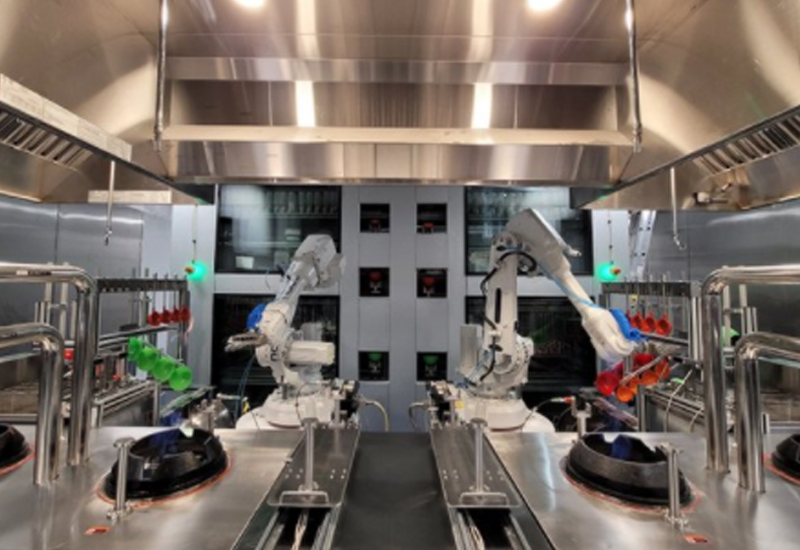
Image Source: usa.cateringinsight.com
Grasping Cloud Kitchens: What They Are and Why They Work
A cloud kitchen is a food business with no storefront. It has no tables for diners. It focuses only on making food for delivery. This means customers order online. They get food from apps like DoorDash or Uber Eats. Or they order from your own website.
Cloud kitchens are also called ghost kitchens. They are sometimes named virtual restaurants. These names all mean the same thing. You cook in a kitchen space. You do not need a big dining area. This cuts down costs.
Why are cloud kitchens popular?
- Lower Costs: You save money on rent. You do not need wait staff. You do not need fancy decor. This makes it cheaper to start.
- More Flexible: You can change your menu fast. You can try new food ideas. If one food idea does not work, you can shift easily.
- Bigger Reach: You can sell your food to more people. Delivery apps bring your food to many homes. You are not stuck serving only people near your location.
- Less Risk: Because costs are lower, there is less money to lose. This makes it a safer bet for new food businesses.
Cloud kitchens fit well with how people eat today. More and more people order food to their homes. This type of kitchen helps you meet that demand. It is a smart way to get into the food business.
Ghost Kitchen Business Plan USA: Your Blueprint for Success
Every good business needs a plan. A ghost kitchen business plan USA helps you think through all parts of your new food venture. It acts like a map. It shows you where you want to go. It tells you how you will get there. A solid plan helps you get money. It helps you make smart choices.
What goes into your ghost kitchen business plan?
- Your Vision: What kind of food will you make? What makes your food special?
- Market Study: Who are your customers? What do they like to eat? What food trends are popular? Look at other ghost kitchens. See what they do.
- Menu Details: Create a menu that works for delivery. Some foods travel better than others. Keep it simple at first. Focus on quality.
- Branding: What is your kitchen’s name? What is its logo? How will people know your food? Make your brand stand out.
- How You Will Work: Where will you cook? How will you get food supplies? Who will you hire?
- Money Matters: How much money do you need to start? How much will you spend each month? How much money do you expect to make?
Creating this plan makes you think about every detail. It helps you find problems before they happen. It makes your business stronger from the start.
Virtual Restaurant Permits USA & Cloud Kitchen Regulations USA
Before you even cook your first meal, you need to follow rules. These rules protect people’s health. They make sure businesses are fair. Getting the right virtual restaurant permits USA is key. Also, knowing cloud kitchen regulations USA will save you trouble later. Rules come from different places: the federal government, your state, and your city.
1. Federal Rules:
The Food and Drug Administration (FDA) sets basic food safety rules. These are general guidelines. They tell you how to store food. They tell you how to cook food safely.
2. State Rules:
Each state has its own food code. This code often builds on FDA rules. It gives more specific details. You will need to check your state’s health department website. They tell you what licenses you need.
3. Local Rules (City/County):
This is where most of your effort will go. Your city or county health department will give you your main permit. They will check your kitchen. They will make sure it is clean and safe.
Key Permits and Rules You Will Need:
- Business License: This is a basic permit. It says you can do business in your city or county.
- Food Service Permit / Health Permit: This is the most important one. A health inspector will visit your kitchen. They check for clean water, safe food storage, and proper cooking. You must pass their check to get this permit.
- Zoning Permit: Check that your kitchen space can be used for a food business. Some areas do not allow cooking for outside sales.
- Employer Identification Number (EIN): If you plan to hire people, you need this from the IRS. It’s like a social security number for your business.
- Sales Tax Permit: You will likely need to collect sales tax on food. You need a permit for this from your state.
- Fire Department Permit: Your kitchen must meet fire safety rules. This includes fire extinguishers and alarms.
- Food Handler Permits: Often, every person who touches food needs a food handler card. This shows they passed a food safety test.
Table: Common Permits & Licenses for Cloud Kitchens
| Permit/License Type | Issuing Authority | Purpose |
|---|---|---|
| Business License | City/County | Legal right to operate a business |
| Food Service/Health Permit | Local Health Department | Ensures food safety and hygiene |
| Zoning Permit | City/County Planning Dept. | Confirms space can be used for food prep |
| Employer ID Number (EIN) | IRS (Federal) | For tax purposes, especially if hiring |
| Sales Tax Permit | State Revenue Department | Allows collection and remittance of sales tax |
| Fire Safety Permit | Local Fire Department | Confirms fire safety compliance |
| Food Handler’s Card | State/Local Health Dept. | Shows staff are trained in food safety |
Start checking these rules early. They can take time. It is best to talk to your local health department directly. They can tell you exactly what you need.
Cost to Open Cloud Kitchen USA: Breaking Down Expenses
One big draw of cloud kitchens is their lower start-up cost. But it is not free. You still need money to get things going. Knowing the cost to open cloud kitchen USA helps you plan your budget.
Initial Setup Costs (One-Time Expenses):
- Kitchen Lease Deposit & First Month’s Rent: If you rent a shared kitchen, you will pay a deposit. You will also pay for your first month. This can be $1,000 to $5,000 or more.
- Kitchen Equipment: This is a big cost. You need ovens, fridges, fryers, and more. Used equipment can save you money. New equipment costs more.
- Range: $5,000 – $20,000 (for basic to good quality items).
- Permits & Licenses: Fees for these vary.
- Range: $500 – $2,000 (could be more if many specific permits are needed).
- Initial Inventory: You need food supplies to start.
- Range: $500 – $2,000.
- Software & Tech Setup: Point of Sale (POS) systems, online ordering setup.
- Range: $200 – $1,000 (one-time setup for some software).
- Branding & Marketing Launch: Logo design, basic website, initial ads.
- Range: $500 – $2,000.
- Legal & Professional Fees: If you use a lawyer or accountant to set things up.
- Range: $0 – $1,500 (optional but helpful).
- Working Capital: Money set aside for unexpected costs. This is very important.
- Range: $2,000 – $5,000 (or more).
Estimated Initial Investment:
A basic cloud kitchen can cost $10,000 to $20,000 to start. A more advanced setup might be $30,000 to $50,000. This is still much less than a traditional restaurant, which can cost $100,000 to $1,000,000.
Ongoing Operating Costs (Monthly Expenses):
- Rent/Kitchen Rental Fees: This is often your biggest monthly cost. If you use a shared kitchen, it might be an hourly or monthly fee.
- Range: $500 – $4,000+ (depending on location and hours).
- Food Inventory: Cost of ingredients. This changes with how much you sell.
- Labor Costs: Wages for cooks, prep staff, and managers.
- Utilities: Electricity, gas, water.
- Delivery App Commissions: Delivery apps take a cut of each order. This can be 15% to 30%.
- Packaging: Takeout containers, bags, napkins.
- Marketing & Advertising: Ongoing ads, social media boosts.
- Software Subscriptions: Monthly fees for POS, order management tools.
- Insurance: General liability, workers’ comp.
- Maintenance & Repairs: For equipment.
- Cleaning Supplies: For hygiene.
Table: Estimated Monthly Operating Costs
| Expense Type | Estimated Monthly Cost Range | Notes |
|---|---|---|
| Kitchen Rent/Fees | $500 – $4,000+ | Varies by location, shared vs. private |
| Food Inventory | $1,000 – $5,000+ | Directly related to sales volume |
| Labor | $1,500 – $6,000+ | Based on staff numbers and hours |
| Utilities | $100 – $500 | Electricity, gas, water |
| Delivery App Commissions | 15%-30% of sales | Significant cost, plan for it |
| Packaging | $200 – $1,000 | Essential for takeout, depends on volume |
| Marketing | $100 – $500+ | Online ads, social media promotions |
| Software Subscriptions | $50 – $200 | POS, order management monthly fees |
| Insurance | $50 – $200 | Liability, property, workers’ comp |
| Miscellaneous | $100 – $500 | Cleaning, small repairs, office supplies |
It is vital to track all these costs. A clear budget helps you stay in the black.
Finding Your Space: Shared Commercial Kitchen Rental USA
Where will you cook? For a cloud kitchen, a dedicated storefront is not needed. This means you have options. Many new cloud kitchen owners choose a shared commercial kitchen rental USA. These spaces are built for food businesses. They have all the right permits. They are clean and safe.
What is a shared commercial kitchen?
It is a large kitchen space. Many different food businesses use it. They might use it at different times. Or they might use different parts of it. Think of it like a co-working space, but for cooking.
Benefits of a Shared Kitchen:
- Lower Start-up Cost: You do not have to build a kitchen. You do not buy all the big equipment. It is already there. This saves a lot of money.
- Permit Ready: These kitchens already have many of the big health permits. This makes your start easier and faster.
- Flexible Hours: You often pay for the time you use. This can be good if you are just starting. You can test your idea without a long lease.
- Community: You can meet other food business owners. You can share tips and ideas.
- Access to Equipment: They usually have high-quality, professional equipment. You can use it without buying it.
How to Find a Shared Commercial Kitchen:
- Online Search: Use terms like “commercial kitchen rental near me,” “commissary kitchen,” or “ghost kitchen space.”
- Food Business Networks: Ask other local food entrepreneurs. They might know good spaces.
- Local Food Incubators: Some cities have places that help new food businesses. They often have shared kitchens.
- Food Hubs: Some larger cities have food production centers. These often include shared kitchens.
What to Look For When Choosing a Kitchen:
- Location: Is it easy for your delivery drivers to get to? Is it near your target customers?
- Availability: Can you get enough hours to meet your demand? Are the hours good for your business?
- Equipment: Do they have all the tools you need? Is the equipment well-maintained?
- Cleanliness: Is the kitchen very clean? This is vital for food safety.
- Cost: What are the hourly or monthly fees? Are there extra charges?
- Rules: What are their rules for storage, cleaning, and scheduling?
- Storage: Do they offer cold and dry storage space for your ingredients?
Signing a lease for a shared kitchen is a big step. Read the agreement carefully. Make sure it fits your needs. This is a smart way to get your cloud kitchen running quickly and with less money.
Equipping Your Kitchen: Cloud Kitchen Equipment List USA
Even in a shared kitchen, you will need some items of your own. If you get your own space, you will need everything. This cloud kitchen equipment list USA helps you know what to buy. Focus on quality. Good tools last longer. They also help you cook better food.
1. Cooking Equipment (The Core):
- Commercial Range/Oven: For baking, roasting, and stovetop cooking.
- Fryers: If your menu includes fried items.
- Griddle/Grill: For burgers, sandwiches, and hot items.
- Microwave Oven: For quick heating or defrosting.
- Food Processors/Blenders: For chopping, mixing, and pureeing.
- Mixers: For doughs, batters (if you bake).
- Prep Tables: Stainless steel tables are best for hygiene and durability.
- Pots, Pans, Utensils: A good range of sizes and types.
- Knives: A full set of sharp, good-quality knives.
2. Refrigeration & Storage:
- Reach-in Refrigerators: For daily ingredients.
- Reach-in Freezers: For frozen goods.
- Walk-in Cooler/Freezer: If you have high volume and storage needs. Shared kitchens often have these.
- Shelving Units: For dry goods and equipment storage.
- Food Storage Containers: Airtight containers for freshness and safety.
3. Cleaning & Sanitation:
- Three-Compartment Sink: For washing, rinsing, and sanitizing dishes. Required by health codes.
- Handwashing Sinks: Separate sinks for handwashing only.
- Dishwasher (Commercial Grade): If your volume is high.
- Grease Trap: To prevent grease from clogging drains. Often part of a commercial kitchen.
- Cleaning Supplies: Soaps, sanitizers, rags, mops, buckets.
4. Safety Equipment:
- Fire Extinguishers: Must be easily accessible and regularly checked.
- First Aid Kit: For small injuries.
- Floor Mats: To prevent slips in wet areas.
- Personal Protective Gear: Gloves, aprons, hairnets.
5. Packaging & Delivery:
- Food Packaging: Containers, boxes, bags suitable for takeout. Consider eco-friendly options.
- Portion Cups/Deli Containers: For sauces, sides.
- Delivery Bags: Insulated bags to keep food hot or cold during transport.
6. Smallwares & Utensils:
- Cutting boards, scales, measuring cups, ladles, spatulas, thermometers.
- Timer, can openers.
Table: Essential Cloud Kitchen Equipment Categories
| Category | Key Items | Notes |
|---|---|---|
| Cooking Appliances | Range/Oven, Fryer, Griddle, Microwave | Core items for food preparation |
| Refrigeration/Storage | Reach-in Fridge/Freezer, Shelving, Bins | Crucial for food safety and inventory |
| Prep Tools | Prep Tables, Food Processor, Knives, Pots | For efficient food preparation |
| Cleaning & Safety | 3-Compartment Sink, Hand Sinks, Fire Ext. | Health code compliance, staff safety |
| Packaging & Delivery | Containers, Bags, Insulated Carriers | For successful food delivery |
When planning, list out all your menu items. Then think about what equipment you need to make each one. This helps you build the right list for your kitchen.
Technology Backbone: Cloud Kitchen Technology Platforms USA & Food Delivery App Integration Cloud Kitchen
Technology is the heart of a cloud kitchen. It helps you get orders. It helps you manage food. It helps you deliver food. Using the right cloud kitchen technology platforms USA is a must. Also, smooth food delivery app integration cloud kitchen makes your life easier.
1. Point of Sale (POS) System:
This is your main hub. It records orders. It tracks sales. It manages payments. Choose one that works well with delivery apps.
* Features to look for: Easy order entry, sales reports, employee management, kitchen display system (KDS).
2. Order Management System (OMS):
This software pulls orders from all your sources. It combines orders from DoorDash, Uber Eats, and your own website. It sends them to your kitchen staff.
* Why it’s vital: Prevents missed orders, reduces errors, speeds up order processing. It is key for smooth food delivery app integration cloud kitchen.
3. Delivery App Partnerships:
You need to be on the big delivery apps. These include DoorDash, Uber Eats, Grubhub, and Postmates.
* How it works: You sign up with each app. They list your menu. They handle delivery drivers. They take a fee (commission) for each order.
* Tip: Read their terms carefully. Understand their fees.
4. Direct Online Ordering Platform:
It is good to have your own website or app for orders.
* Why have your own? You pay fewer fees. You own customer data. You can build loyalty.
* How to set it up: Use services like Toast, Square Online, or Shopify with food ordering plugins.
5. Inventory Management Software:
This helps you track your ingredients. It tells you what you have. It tells you what you need to order.
* Benefits: Reduces waste, saves money, makes sure you always have needed items.
6. Kitchen Display System (KDS):
This is a screen in your kitchen. It shows orders for your cooks. No more paper tickets.
* Advantages: Faster order flow, fewer mistakes, cleaner kitchen.
7. Customer Relationship Management (CRM):
This tool helps you keep track of your customers. You can use it to send out promotions. You can get feedback.
* Importance: Builds customer loyalty, helps with marketing.
Table: Key Cloud Kitchen Technology Platforms
| Platform Type | Purpose | Examples/Benefits |
|---|---|---|
| POS System | Manage orders, sales, payments | Toast, Square, Clover (Central hub) |
| Order Management System | Consolidate orders from all sources | Otter, Cuboh (Integrates delivery apps) |
| Delivery Marketplaces | Reach customers, facilitate delivery | DoorDash, Uber Eats, Grubhub (Core sales channel) |
| Direct Online Ordering | Sell directly, lower fees, own data | Shopify, Square Online, specialized plugins |
| Inventory Management | Track ingredients, reduce waste | QuickBooks, specialized restaurant software |
| Kitchen Display System | Digital order tickets for cooks | Integrated with POS or standalone systems |
| CRM/Marketing Tools | Manage customer data, run promotions | Mailchimp, specific loyalty programs |
Choosing the right tech stack is crucial. It makes your operations smooth. It helps you serve more customers. It grows your business.
Getting the Word Out: Marketing Strategies for Ghost Kitchens USA
A cloud kitchen has no storefront. This means people cannot just walk by and see you. You must work harder to tell them you exist. Good marketing strategies for ghost kitchens USA are vital for success.
1. Strong Online Presence:
* Website: Create a simple, clear website. Show your menu, hours, and how to order.
* Social Media: Use Instagram, Facebook, and TikTok. Post mouth-watering pictures of your food. Share behind-the-scenes glimpses. Engage with followers. Run contests.
* Google My Business: Set up a profile. Make sure your hours and menu are correct. This helps people find you when they search for food nearby.
2. Optimize Delivery App Profiles:
Your listing on DoorDash, Uber Eats, etc., is your new “storefront.”
* Great Photos: Use high-quality, professional photos of your food. This is the first thing people see.
* Clear Descriptions: Write tempting descriptions for each dish. List ingredients. Note any allergens.
* Promotions: Use the apps’ built-in promotion tools. Offer discounts for first-time orders. Give free delivery.
* Ask for Reviews: Good reviews build trust. Ask happy customers to leave feedback. Respond to all reviews, good or bad.
3. Branding and Storytelling:
Even without a physical space, you need a strong brand.
* Unique Concept: What makes your food special? Is it a unique cuisine? Healthy options? Comfort food?
* Consistent Branding: Use the same logo, colors, and tone everywhere. From your packaging to your social media.
* Tell Your Story: Why did you start this kitchen? What is your passion? People connect with stories.
4. Local SEO (Search Engine Optimization):
When people search for “food delivery near me,” you want to show up.
* Use location-based keywords on your website and social media.
* Get listed in local directories.
5. Email Marketing:
Collect email addresses from your customers. Send them newsletters. Share new menu items. Offer special discounts. This builds a direct connection.
6. Influencer Marketing:
Work with local food bloggers or social media influencers. They can try your food and tell their followers about it.
7. Partnerships:
* Local Businesses: Team up with a local brewery or coffee shop. Offer bundles or cross-promote each other.
* Catering: Offer your food for local events or offices. This can bring big orders.
8. Packaging:
Your packaging is part of your brand. Make it strong. Make it look good. Add your logo. A nice package can make a good impression.
Marketing for a cloud kitchen is all about reaching people online. Be creative. Be active. Make sure your food lives up to the hype.
Financial Outlook: Cloud Kitchen Profit Margin USA
One of the main reasons to start a cloud kitchen is the potential for good profits. The cloud kitchen profit margin USA can be higher than a traditional restaurant. This is because you save money on many typical restaurant costs.
What is a profit margin?
It is the money you have left after paying all your costs. It is usually shown as a percentage.
* Gross Profit Margin: How much money you make after taking out the direct cost of making the food (ingredients, staff directly cooking).
* Net Profit Margin: How much money you make after taking out ALL costs (ingredients, staff, rent, utilities, delivery fees, marketing, etc.).
Typical Profit Margins:
* Traditional restaurants often have a net profit margin of 3-9%.
* Cloud kitchens can aim for higher, often 10-15% or even 20% or more. This is due to lower overhead.
Factors Affecting Your Profit Margin:
-
Food Costs (Cost of Goods Sold – COGS): This is the cost of your ingredients.
- To improve: Buy in bulk. Reduce waste. Source ingredients smartly. Plan your menu to use common ingredients.
- Goal: Keep food costs below 30% of your sales.
-
Labor Costs: Wages for your cooks, prep staff, and kitchen manager.
- To improve: Staff efficiently. Cross-train employees. Optimize kitchen workflow.
- Goal: Keep labor costs around 20-25% of sales.
-
Rent/Kitchen Fees: Your biggest fixed cost.
- To improve: Choose a cost-effective shared kitchen. Negotiate good rental terms.
- Benefit: Much lower than a full restaurant.
-
Delivery Platform Commissions: These can be 15-30% of your order value. This is a big expense.
- To improve: Encourage direct orders (via your website/app). Offer special deals for direct orders. Factor commission into your pricing.
- Strategy: Use delivery apps for reach, but try to convert customers to direct orders for better margins.
-
Packaging Costs: Takeout containers, bags.
- To improve: Buy in bulk. Choose cost-effective but durable options.
-
Menu Pricing: How you price your food.
- Strategy: Price competitively but also ensure you cover costs and make a profit. Consider higher prices for premium items. Offer combo deals.
-
Sales Volume: The more food you sell, the more you spread your fixed costs. Higher volume can lead to better profits.
- To improve: Strong marketing. Excellent food quality. Fast service. Good customer reviews.
Strategies to Boost Your Cloud Kitchen’s Profit:
- Menu Optimization: Focus on high-profit items. Items that are easy to make. Items that travel well.
- Cost Control: Track all expenses closely. Look for ways to save money without hurting quality.
- Efficiency: Make your kitchen operations smooth. Reduce prep time. Minimize food waste.
- Customer Loyalty: Keep your customers happy. Repeat business costs less than finding new customers.
- Diversify Sales Channels: Do not rely only on third-party apps. Build your direct order business. Offer catering.
- Analyze Data: Use your POS and OMS data. See what sells best. See when you are busiest. Make smart choices based on facts.
A cloud kitchen offers a clear path to profitability. By managing your costs wisely and focusing on quality and efficiency, you can achieve healthy profit margins.
Steps to Launch and Grow Your Cloud Kitchen
You have a plan. You know the rules. You know your costs. Now, how do you launch?
1. Finalize Your Concept and Menu:
* Refine your menu. Make sure it is streamlined. Ensure food travels well.
* Develop your brand. Create your logo and choose your kitchen’s look.
2. Secure Your Kitchen Space:
* Find a shared commercial kitchen. Sign a lease. Or set up your own approved commercial space.
3. Obtain All Permits and Licenses:
* Work with your local health department. Get your food service permit.
* Get all business licenses, EIN, and sales tax permits. Do not skip this step!
4. Purchase or Lease Equipment:
* Get your essential cloud kitchen equipment list USA items. Buy or rent what you need.
5. Set Up Technology:
* Choose your POS system. Get an Order Management System.
* Sign up with food delivery app integration cloud kitchen partners (DoorDash, Uber Eats, etc.).
* Set up your direct online ordering platform.
6. Hire and Train Your Team:
* Recruit cooks and prep staff.
* Train them on your menu, food safety, and kitchen procedures.
7. Source Ingredients and Supplies:
* Find reliable food suppliers. Set up delivery schedules.
* Order initial inventory and cloud kitchen equipment list USA items.
8. Marketing Launch:
* Build your online presence. Create your social media profiles.
* Optimize your delivery app listings with great photos and descriptions.
* Start telling people about your new kitchen. Use marketing strategies for ghost kitchens USA.
9. Soft Launch and Test:
* Start with a small launch. Invite friends or family to order.
* Test your systems. Check your food quality. Get feedback. Make changes.
10. Grand Opening:
* Once ready, officially open to the public. Announce it widely.
11. Monitor and Adapt:
* Watch your sales. Look at your cloud kitchen profit margin USA.
* Listen to customer feedback. Adjust your menu. Improve your service.
* Continuously refine your operations.
Growing Your Cloud Kitchen:
- Add Virtual Brands: Once one concept is stable, add another. Use the same kitchen space. Offer different types of food under a new brand name.
- Expand Geographic Reach: Open kitchens in new areas or cities.
- Offer Catering: Expand into catering for events or offices.
- Create Your Own Delivery Fleet: If volume is high, consider hiring your own drivers. This can save on app commissions.
- Product Development: Create new menu items. Keep things fresh for your customers.
Starting a cloud kitchen is a big project. But by following these steps, you can build a successful and profitable food business in the USA.
Frequently Asked Questions (FAQ)
Q1: What is the main difference between a cloud kitchen and a traditional restaurant?
A: The biggest difference is the lack of a dining room. Cloud kitchens focus only on delivery and takeout. Traditional restaurants have seating for customers to eat on-site. Cloud kitchens have lower startup and running costs.
Q2: Do I need a special license to run a cloud kitchen in the USA?
A: Yes, you need standard food service permits and business licenses. These come from your state and local health departments. You will also need fire safety and zoning approvals. These are similar to what a regular restaurant needs, but without the dining room space requirements.
Q3: How long does it take to start a cloud kitchen?
A: It can take anywhere from 1 to 6 months. This depends on how fast you get permits, find a kitchen space, and set up your technology. Getting permits often takes the longest.
Q4: Can I run a cloud kitchen from my home kitchen?
A: In most parts of the USA, no. You need to operate from a licensed commercial kitchen. Home kitchens usually do not meet the strict health and safety rules for public food sales. Some states have “cottage food laws” for very specific low-risk items, but generally not for full meal preparation.
Q5: How do cloud kitchens get customers?
A: They rely heavily on online marketing. This includes listing on popular food delivery apps (DoorDash, Uber Eats), social media, having their own website for direct orders, and local search engine optimization (SEO). Good reviews are also very important.
Q6: What is the typical profit margin for a cloud kitchen?
A: Cloud kitchens often have net profit margins between 10-20% or even higher. This is better than traditional restaurants (3-9%). The higher profit comes from lower overhead costs like rent and labor for front-of-house staff.
Q7: Is it better to use a shared kitchen or build my own?
A: For most new cloud kitchens, a shared commercial kitchen is better. It significantly lowers your startup costs and reduces the hassle of getting permits. Building your own kitchen is more expensive and time-consuming. You might consider building your own if you plan to operate many virtual brands or have very high volume.
Q8: What are the biggest challenges for cloud kitchens?
A: Key challenges include high delivery app commissions, intense competition, keeping food quality consistent during delivery, and building brand awareness without a physical storefront. Managing online reviews and customer feedback is also crucial.