
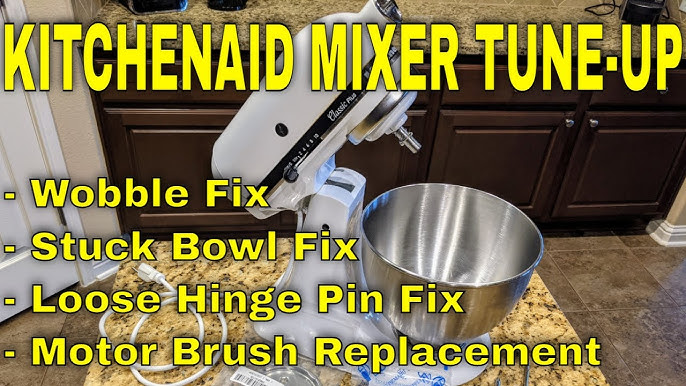
Image Source: i.ytimg.com
Fix: Why Does My KitchenAid Mixer Bowl Comes Loose?
Does your KitchenAid mixer bowl come loose during operation? This common issue, often experienced as a KitchenAid mixer wobbles or the KitchenAid bowl falling off, can be frustrating. The primary reasons a stand mixer bowl detachment occurs are typically related to worn-out locking mechanisms, improper attachment, or damage to the bowl or mixer base. Can you fix a loose KitchenAid bowl? Absolutely. Many of these problems are surprisingly simple to resolve with a bit of know-how.
Deciphering the Loose Bowl Conundrum
It’s a familiar, unsettling feeling: you’re mid-recipe, flour flying, and suddenly, your KitchenAid mixer bowl jiggles or, worse, starts to unscrew itself. This isn’t just an annoyance; a loose bowl can lead to uneven mixing, ingredient spillage, and in severe cases, potential damage to your appliance or even injury. Let’s dive deep into the mechanics of why this happens and how to get your KitchenAid mixer back to its stable, reliable self.
Common Culprits Behind a Slipping Bowl
Several factors can contribute to your KitchenAid bowl not tightening securely. Identifying the specific cause is the first step to a successful fix.
- Worn Locking Mechanism: Over time and with frequent use, the internal components that secure the bowl can wear down. This is especially true for older models. The metal tabs or springs that engage with the bowl base might lose their tension or become slightly misshapen, preventing a firm lock.
- Dirt and Debris Buildup: A simple, yet often overlooked, reason is the accumulation of food particles, grease, or dried batter around the bowl locking area on both the mixer head and the bowl itself. This can create a slippery surface or physically obstruct the locking mechanism from fully engaging.
- Improper Attachment: Sometimes, the user error is the culprit. If the bowl isn’t placed squarely onto the attachment hub or if it’s not twisted with enough force, it might not engage the lock properly. This can lead to the bowl coming loose during operation.
- Damaged Bowl or Mixer Base: Accidental drops or rough handling can cause subtle damage. The rim of the bowl, where it engages with the mixer, might be slightly bent, or the locking mechanism on the mixer base could be warped. Even a small misalignment can prevent a secure fit.
- Loose Attachment Hub: In some cases, the issue isn’t with the bowl itself but with the hub on the mixer where the bowl attaches. If the internal mechanism of the hub becomes loose or worn, it won’t grip the bowl effectively, resulting in the mixer bowl keeps unscrewing.
- Model-Specific Design Differences: While the general principle of bowl attachment is similar across most KitchenAid stand mixers, subtle design variations between tilt-head and bowl-lift models, or even between different series (Artisan, Professional, Classic), can influence how secure the bowl feels and what issues might arise. A KitchenAid tilt-head bowl issue might differ from a bowl-lift model’s problem.
Troubleshooting: Step-by-Step Solutions
When your KitchenAid mixer bowl comes loose, don’t despair. Here’s a systematic approach to diagnose and fix the problem.
Step 1: The Basic Cleanse
Before assuming a mechanical failure, a thorough cleaning is essential.
- Remove the Bowl: Twist the bowl counter-clockwise to detach it from the mixer.
- Inspect the Bowl Base: Look for any hardened batter, dried ingredients, or grease around the rim where it connects to the mixer.
- Inspect the Mixer Attachment Hub: Similarly, check the metal ring on the mixer head that the bowl attaches to. Use a soft brush (like an old toothbrush) or a damp cloth to gently clean this area.
- Clean the Bowl Rim: Ensure the entire rim of the bowl is clean and free from any residue.
- Dry Thoroughly: Moisture can also contribute to slipping. Make sure both the bowl base and the mixer hub are completely dry before attempting to reattach.
After cleaning, reattach the bowl. Place it firmly on the hub and twist it clockwise with a good amount of pressure until it feels snug. Try running the mixer on a low speed. If the issue persists, move on to the next steps.
Step 2: Examining for Physical Damage
If cleaning doesn’t solve the problem, it’s time to look for more obvious signs of wear or damage.
- Bowl Rim: Carefully run your finger around the rim of the bowl where it locks. Feel for any dents, bends, or irregularities. Even a slight warp can prevent a secure connection.
- Locking Mechanism: Look closely at the metal tabs or the groove on the bowl base. Are they intact? Are there any visible cracks or significant wear?
- Mixer Hub: On the mixer head itself, examine the locking mechanism. Does it look damaged? Is there any play or looseness in the metal ring?
If you find any significant damage to the bowl or the mixer’s locking mechanism, this could be the root cause of your KitchenAid bowl won’t lock situation.
Step 3: Checking the Mixer Base Stability
Sometimes, what feels like a loose bowl is actually a symptom of a less stable mixer base.
- KitchenAid Mixer Base Loose: Place your mixer on a flat, stable surface. Gently try to rock it from side to side. Does the entire base move? If the mixer base itself feels unsteady, this can contribute to the bowl appearing loose or even causing it to detach.
- Feet Inspection: Check the rubber feet on the bottom of the mixer. Are they all present and firmly attached? Are they worn down or cracked? Worn feet can lead to instability. Some models have screws securing the base plate; ensure these are tight.
If the base is indeed loose, you might need to tighten screws within the base, or if the feet are worn, they may need replacement.
Step 4: Advanced Troubleshooting and Potential Fixes
If the basic steps haven’t resolved the issue, we need to delve into more specific mechanical checks and potential repairs.
H4: The Bowl Locking Mechanism: A Closer Look
The connection between the bowl and the mixer is crucial. This usually involves a metal tab on the bowl that slots into a corresponding groove or channel on the mixer’s base ring, and a spring-loaded mechanism that tightens and holds it.
- Spring Tension: Inside the mixer’s base ring, there’s a spring-loaded plunger or cam system. This is what pushes against the bowl to lock it. If this spring weakens over time or if the plunger mechanism is obstructed or damaged, it won’t apply enough pressure.
- Bowl Tabs: The tabs on the bowl are designed to fit snugly. If these are bent or worn down from frequent use or accidental impacts, they won’t engage properly with the mixer’s locking mechanism. This is a common reason why a KitchenAid bowl won’t tighten.
H5: Tightening Loose Components (DIY Approach)
For those comfortable with minor repairs, some issues can be addressed with tightening.
- Tightening the Mixer Base: If you identified a loose base, carefully flip the mixer upside down. You’ll likely see screws holding the base plate in place. Ensure these are securely tightened.
- Loose Attachment Hub KitchenAid: The attachment hub itself, where attachments like whisks and dough hooks connect, is a separate mechanism. While less common, if this feels loose, it might require internal servicing. However, the bowl locking mechanism is typically integrated into the base ring.
H5: When to Consider Part Replacement
If inspection reveals worn or damaged parts, replacement might be necessary.
- Replacement Bowls: If your bowl is bent or its locking tabs are damaged, purchasing a new KitchenAid bowl is often the simplest solution. Ensure you buy a bowl compatible with your specific KitchenAid mixer model.
- Replacement Mixer Base Parts: For issues with the mixer’s internal locking mechanism or a loose attachment hub, replacement parts for the mixer itself might be available. However, these repairs can be more complex and might require professional assistance or a willingness to disassemble the mixer.
H4: Preventing Future Loose Bowl Incidents
Once you’ve fixed the problem, adopting good practices can help prevent it from recurring.
- Gentle Handling: Avoid dropping or roughly handling your mixer or its bowl.
- Regular Cleaning: Make cleaning the bowl and the mixer’s attachment hub a part of your routine.
- Proper Attachment: Always ensure the bowl is seated correctly and twisted firmly clockwise until it clicks or feels securely locked. Don’t force it if it doesn’t seem to fit; check for obstructions.
- Avoid Overloading: While KitchenAid mixers are powerful, overloading them can put extra strain on all components, including the locking mechanism.
- Periodic Inspection: Every few months, give your mixer a quick once-over. Check the bowl’s fit, the base stability, and clean the relevant parts.
Common KitchenAid Mixer Bowl Issues and Solutions Table
| Problem | Likely Cause | Solution |
|---|---|---|
| KitchenAid mixer wobbles | Loose base, worn feet, or bowl not securely locked. | Tighten base screws, check/replace rubber feet, ensure bowl is properly attached. |
| KitchenAid bowl falling off | Worn locking mechanism, damaged bowl tabs, or improper attachment. | Clean thoroughly, check for damage, reattach firmly, consider bowl replacement if damaged. |
| KitchenAid bowl won’t lock | Obstruction, worn spring/plunger, or damaged locking tabs on the bowl. | Clean connection points, inspect for damage to bowl tabs and mixer hub, ensure correct alignment. |
| Mixer bowl keeps unscrewing | Weakened spring-loaded mechanism or worn bowl engagement points. | Clean, check for bowl tab wear, ensure it’s fully twisted to lock. If persistent, internal mechanism might be worn. |
| Loose attachment hub KitchenAid | Internal wear in the hub mechanism itself. | This is a more serious issue and might require professional servicing or replacement of the mixer head assembly. |
| KitchenAid tilt-head bowl issue | Can be any of the above, but specifically related to the tilt-head mechanism. | Ensure the head is fully locked down before attaching the bowl, check the locking pin/groove alignment between head and base. |
| KitchenAid mixer base loose | Loose screws in the base plate or worn rubber feet. | Tighten all visible screws on the underside of the mixer. Inspect and replace any worn or missing rubber feet. |
| Fixing loose KitchenAid bowl | Varies; cleaning, tightening, part replacement, or professional repair. | Follow the troubleshooting steps outlined in this article. Start with cleaning and inspection, then move to more involved fixes. |
| Stand mixer bowl detachment | General term for bowl coming loose; same causes as above. | Comprehensive cleaning, inspection for damage, ensuring proper locking, and checking base stability are key solutions. |
H4: Addressing the “KitchenAid Bowl Won’t Tighten” Scenario
When you twist the bowl and it feels loose, or you can’t get it to “catch” the locking mechanism, it’s often down to a few specific things:
- Misalignment: The bowl might not be perfectly aligned with the hub. Try lifting the bowl slightly and rotating it again.
- Stubborn Debris: Sometimes, hardened sugar or flour can create a surprisingly effective block. A toothpick or a fine-bristled brush can help dislodge stubborn particles.
- Worn Bowl Tabs: If you have multiple KitchenAid bowls, try attaching a different one. If another bowl locks securely, your original bowl’s tabs are likely worn or damaged.
H4: When Your KitchenAid Mixer Wobbles
A wobbling mixer is a clear indicator that something isn’t stable.
- Surface Check: Ensure the counter is perfectly flat and stable. Even a slight tilt can cause wobbling.
- Base Stability: As mentioned, check the mixer base itself. Is it solid? Are the feet gripping the surface?
- Bowl Security: A loose bowl will definitely contribute to wobbling. Make sure it’s locked as tightly as possible.
- Weight Distribution: While less common, if you’re mixing very dense dough, the mixer can vibrate more. However, this shouldn’t cause the bowl to detach.
When to Call in the Professionals
While many fixing loose KitchenAid bowl issues can be handled at home, there are times when professional help is advisable.
- Internal Mechanical Failure: If you suspect a broken spring, a damaged gear within the locking mechanism, or a severely worn attachment hub that you cannot easily access or replace, it’s best to contact KitchenAid customer support or a certified repair technician.
- Electrical Issues: Any problem that seems to involve the motor or electrical components should be handled by a professional.
- Uncertainty: If you’re not comfortable disassembling parts of your appliance or are unsure about the cause of the problem, seeking expert advice is the safest route.
Frequently Asked Questions (FAQ)
Q: My KitchenAid bowl keeps unscrewing. What’s the most common reason?
A: The most common reasons are accumulated debris preventing a proper lock, or wear and tear on the bowl’s locking tabs or the mixer’s internal locking mechanism.
Q: Can I replace the locking mechanism for my KitchenAid bowl?
A: For some models, replacement parts for the locking mechanism might be available. However, this can be a complex repair. Often, replacing the entire bowl is a simpler solution if the bowl itself is damaged. For mixer-internal parts, it might require professional service.
Q: My KitchenAid bowl won’t lock. Is it broken?
A: Not necessarily. First, clean the connection points on both the bowl and the mixer thoroughly. Ensure there are no obstructions. If it still won’t lock, check the bowl’s locking tabs for damage or wear.
Q: My KitchenAid mixer wobbles, and the bowl feels loose. What should I do?
A: Check that the bowl is securely locked. Then, inspect the stability of the mixer’s base and its rubber feet. Tightening any loose base screws can also help.
Q: Is it dangerous if my KitchenAid bowl comes loose?
A: Yes, it can be. A detached or loose bowl can cause ingredients to spill, leading to a mess and potentially damaging your mixer. In severe cases, it could pose a safety hazard. Always ensure the bowl is securely locked before operating the mixer.
Q: How often should I clean the bowl attachment area?
A: It’s best to clean the bowl and the mixer’s attachment hub after each use, or at least before storing the mixer, to prevent debris buildup.
By following these troubleshooting steps and maintenance tips, you can ensure your KitchenAid mixer bowl remains securely attached, allowing you to enjoy seamless baking and cooking for years to come.